

Bookable Logo
Paper plane

Your booking link,
shared everywhere

WhatsApp
WhatsApp
Instagram
Instagram
TikTok
TikTok

You don't need a website to take bookings

If people already follow you on Instagram or chat with you on WhatsApp, that's enough.

Share your Bookable link there and they can book directly from their phone, no app download or account creation needed.
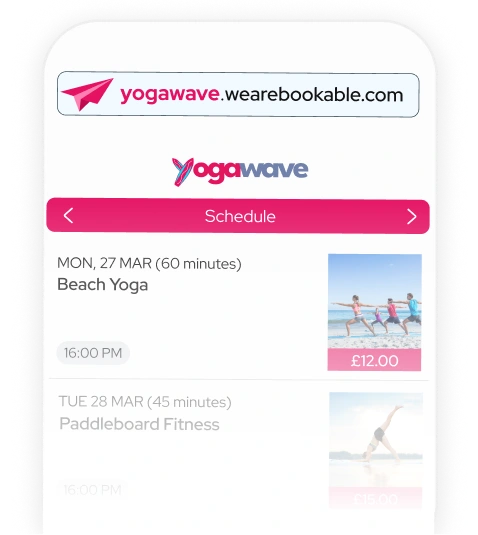
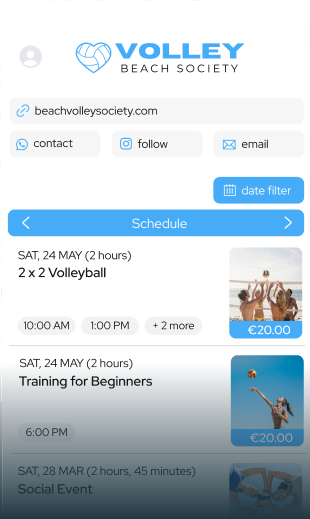
A Bookable schedule open on a phone

All you need is your
unique shareable link

Why a link works better than a website

A website can often be a detour, one more step between someone deciding to book and actually doing it. A link removes it entirely, sitting right there in the conversation or feed they're already scrolling.

Every event you create in Bookable gets its own link, and you also get one link for your whole schedule, so you can share exactly what you want, one class, one special event, or everything you've got on.

Share your link wherever your customers
already are

Instagram

Instagram. Add your link to your bio (Instagram now allows up to five clickable links there, not just one) or share it in a Story with a link sticker.

[Full guide: How to take bookings on Instagram →]
WhatsApp

WhatsApp. Paste your link straight into a chat, group, or broadcast list. WhatsApp automatically shows a preview card with your event image, title, and date.

[Full guide: How to take bookings on WhatsApp →]
An organizer celebrating with a paper plane overhead

How sharing actually works

Every event has its own link. Every schedule has its own link
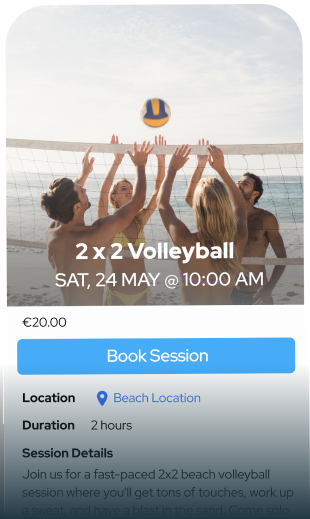
Event
A single event booking page on a phone
Schedule
A full schedule of events on a phone
Linked paperclips
Share your booking links with your customers

In a bio, a story, a chat, an email, literally anywhere

Common Questions

How do I create a booking page for my events or classes?
You build a booking page in minutes, from your phone, no laptop or template required. Add photos, a description, and a map location, then set your brand color and logo so the page looks like yours rather than a generic listing. Once it's live, Bookable gives you a link for that event plus a schedule link that pulls together everything you have on.
How do I get paid for bookings made online?
Bookable takes the payment automatically when someone books, and sends it straight to your connected payout account. No invoicing, no chasing. If you'd rather be paid by bank transfer or cash on the day, you can switch to custom instructions instead. These show up on the confirmation page and in the confirmation email.
Can I accept cash payments alongside online bookings?
Yes. Set custom payment instructions for cash on the day, bank transfer, or a local payment app, and they'll appear on the booking confirmation and in the email.
Sign up for free

It costs nothing to take a look around!

Bookable Logo
We Are Bookable Ltd. © 2026 All rights reserved
Privacy Policy | Terms and Conditions | Cookies